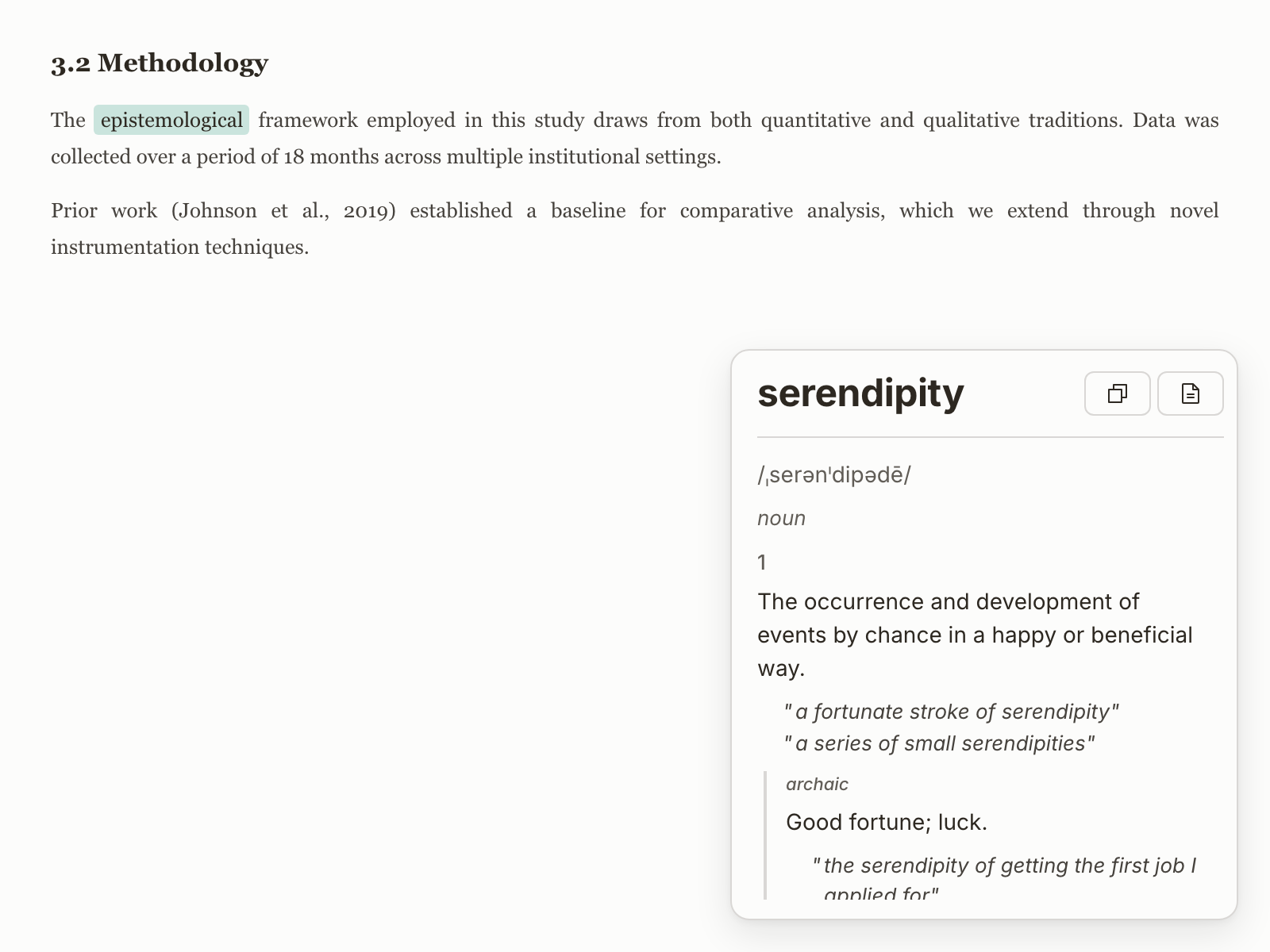
 For academics
 Protected PDFs
Browser dictionary tools usually fail when text selection is blocked.
NearWord reads the visible text directly.
Look up any word on screen — even where browser extensions can't reach.
Core difference
NearWord reads pixels on screen, so you are not limited to selectable text.
For academics Browser dictionary tools usually fail when text selection is blocked.
NearWord reads the visible text directly.
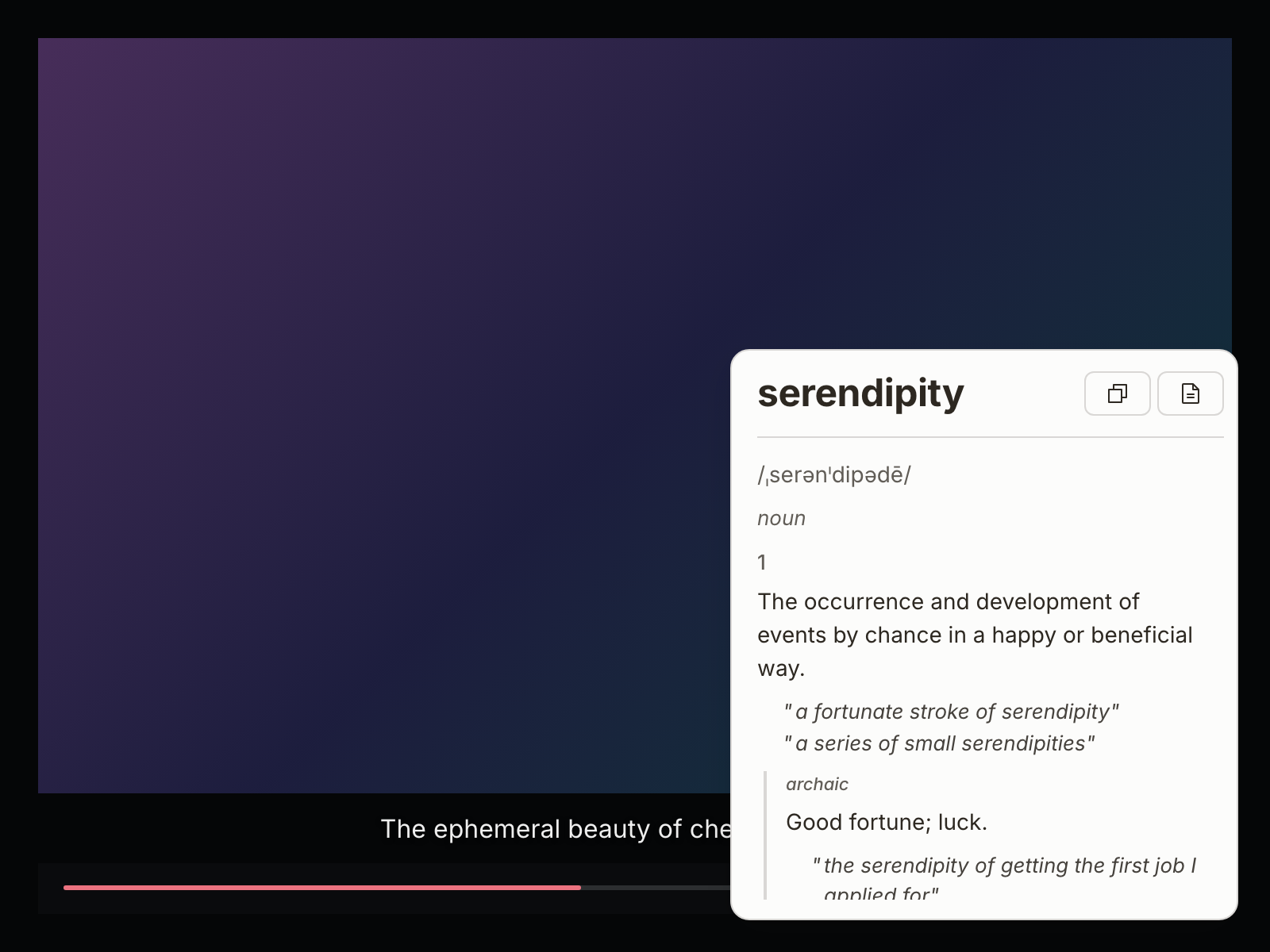 For immersion learners
 Subtitles in native players are outside browser extension scope.
NearWord captures terms where you are watching.
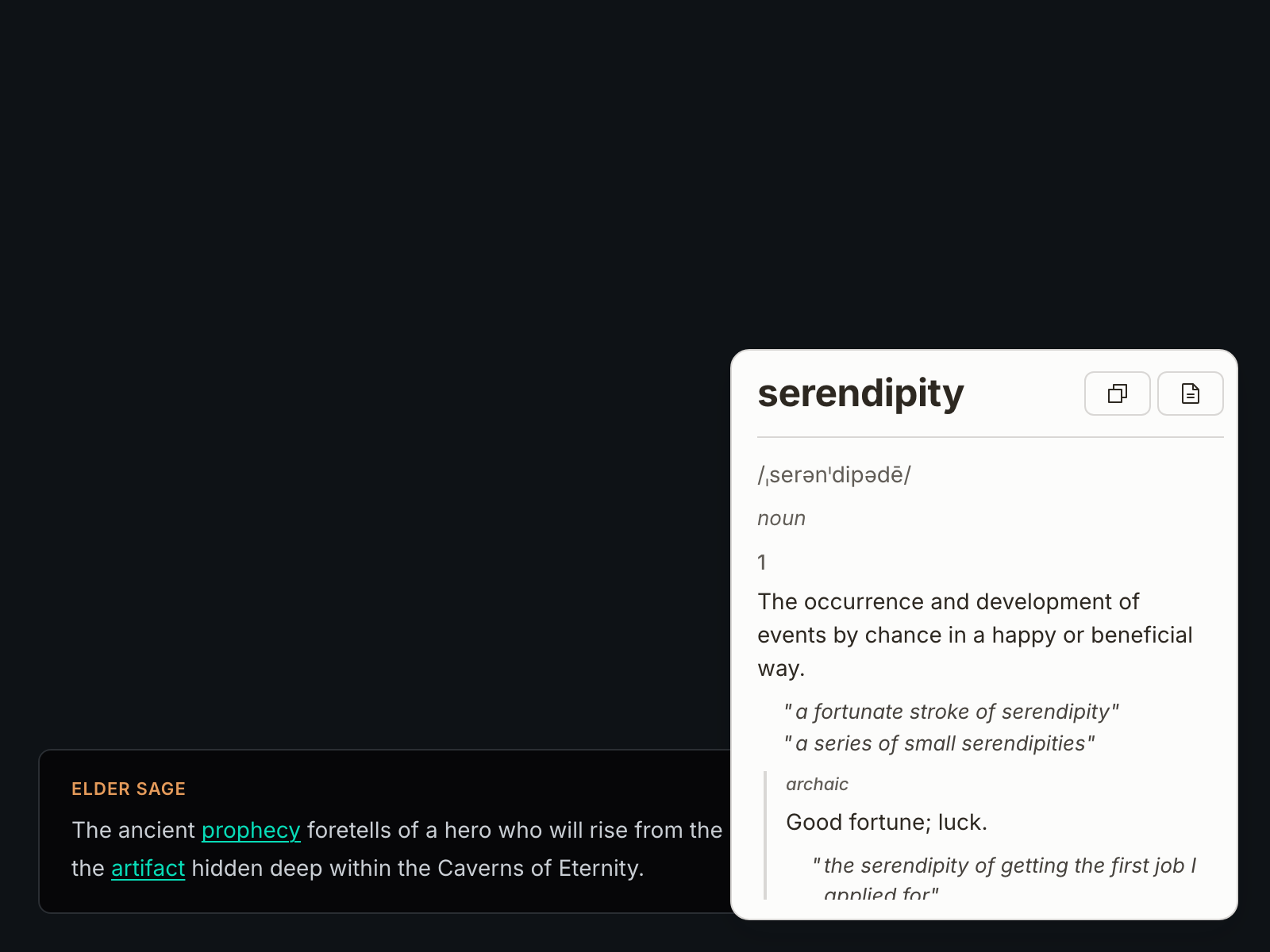 For gamers
 In-game text is typically not selectable and difficult to copy.
NearWord keeps lookup in-flow without alt-tabbing.
How it works
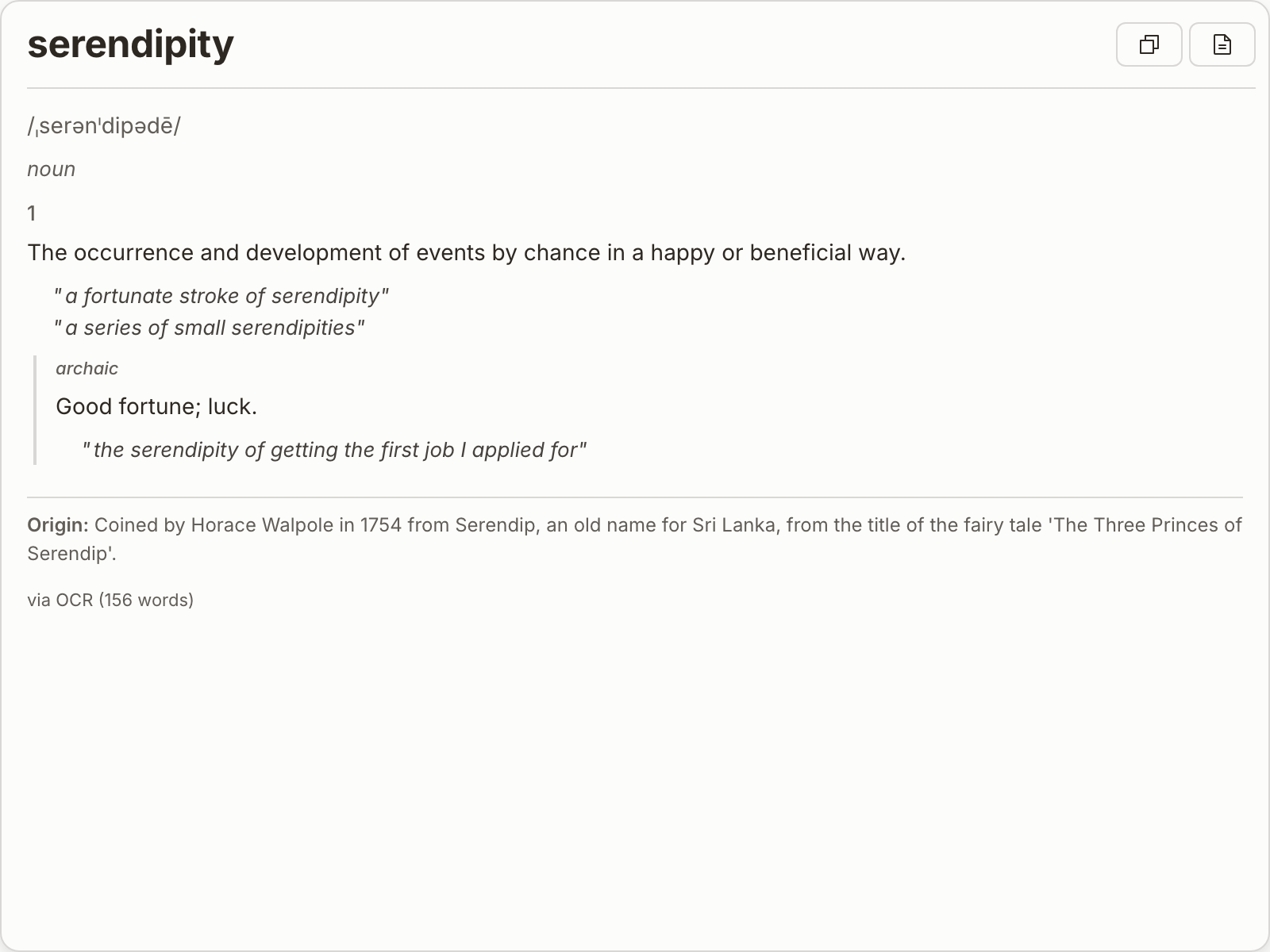
Any visible text
Trigger NearWord over subtitles, manga panels, or protected PDFs.
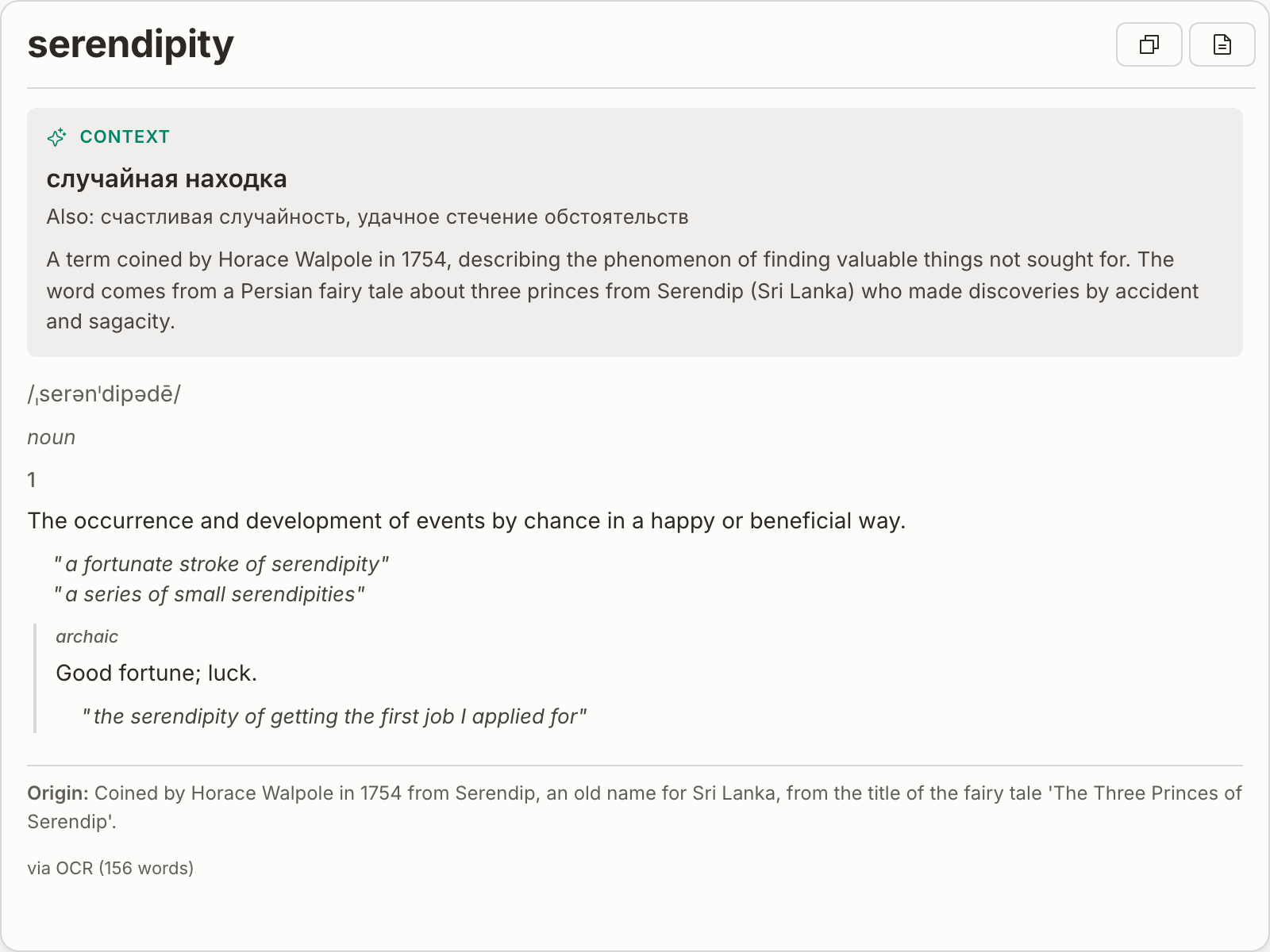
Meaning in context
See definitions, pronunciation, and nuance where you are reading.
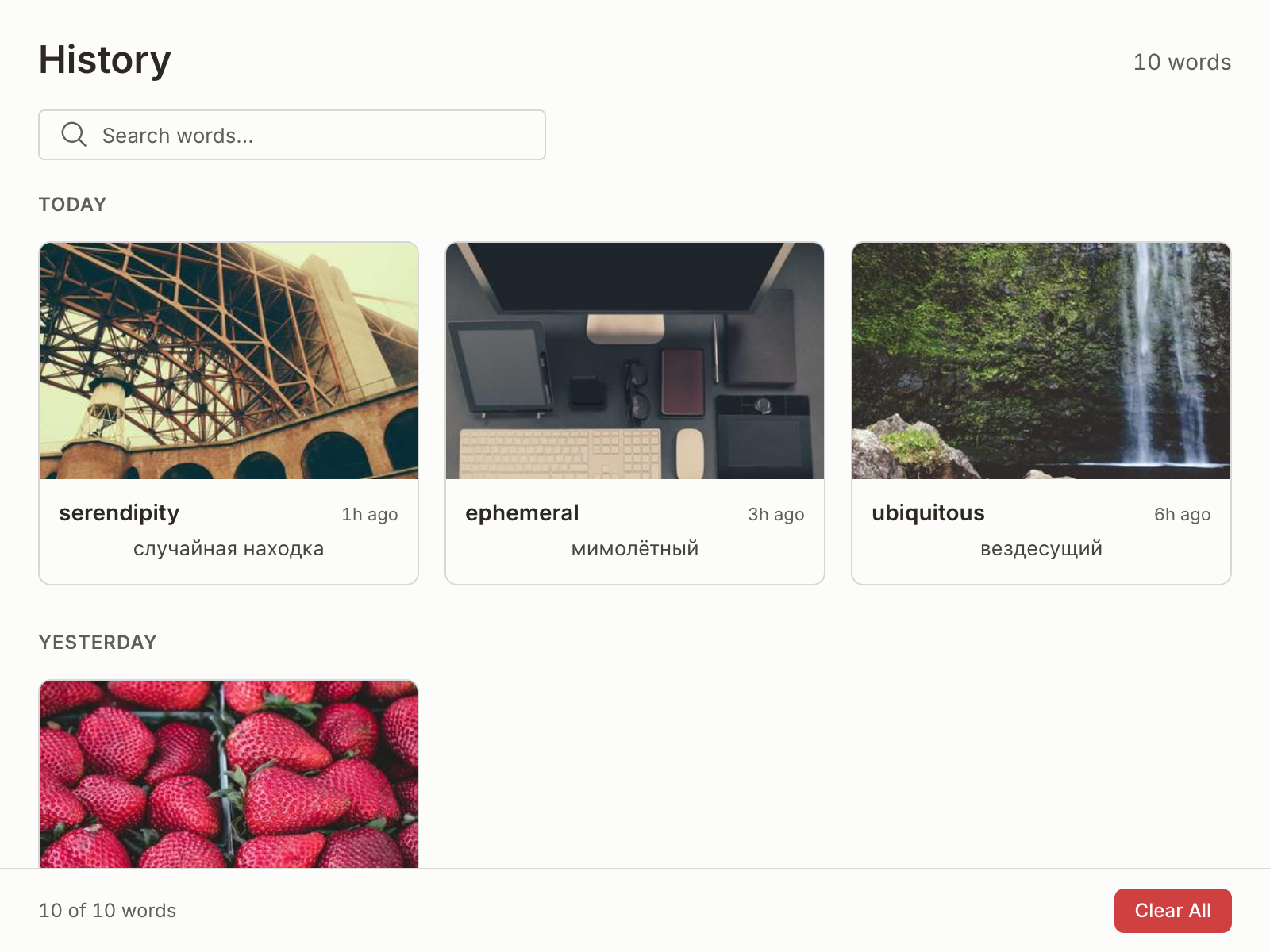
History for review
Saved lookups stay on your device so you can revisit words later.
Why NearWord
Built as a macOS citizen — not a browser workaround.
Reads text directly from the screen — no selection required.
One shortcut, anywhere — PDFs, games, video players.
History stays on your devicein ~/Library/NearWord/vocabulary.db.
End-to-end lookup, from hotkey to definition.
Trust & privacy
Screen Recording permission is used to read pixels for lookups, not to record your activity.
NearWord uses macOS Screen Recording to read text in images, videos, games, and protected PDFs.
Vocabulary and history are stored locally, and remain under your control.
Crash reporting is optional. No keystroke logging and no hidden analytics.